How to break down game film fast
I used to do this in VLC: scrub to a play, write down the timestamp, scrub to the next one. By the end you have a page of timestamps and no good way to show any of it to a player. This is what I do now. It takes about the length of the game plus a few minutes.
Pass 1: load the game, set up a project
Drag the game file in and make a project for it. I keep one project per game or opponent so clips from different nights don't pile up together. It reads the common video formats, so there's nothing to convert first.
Pass 2: mark the plays that matter
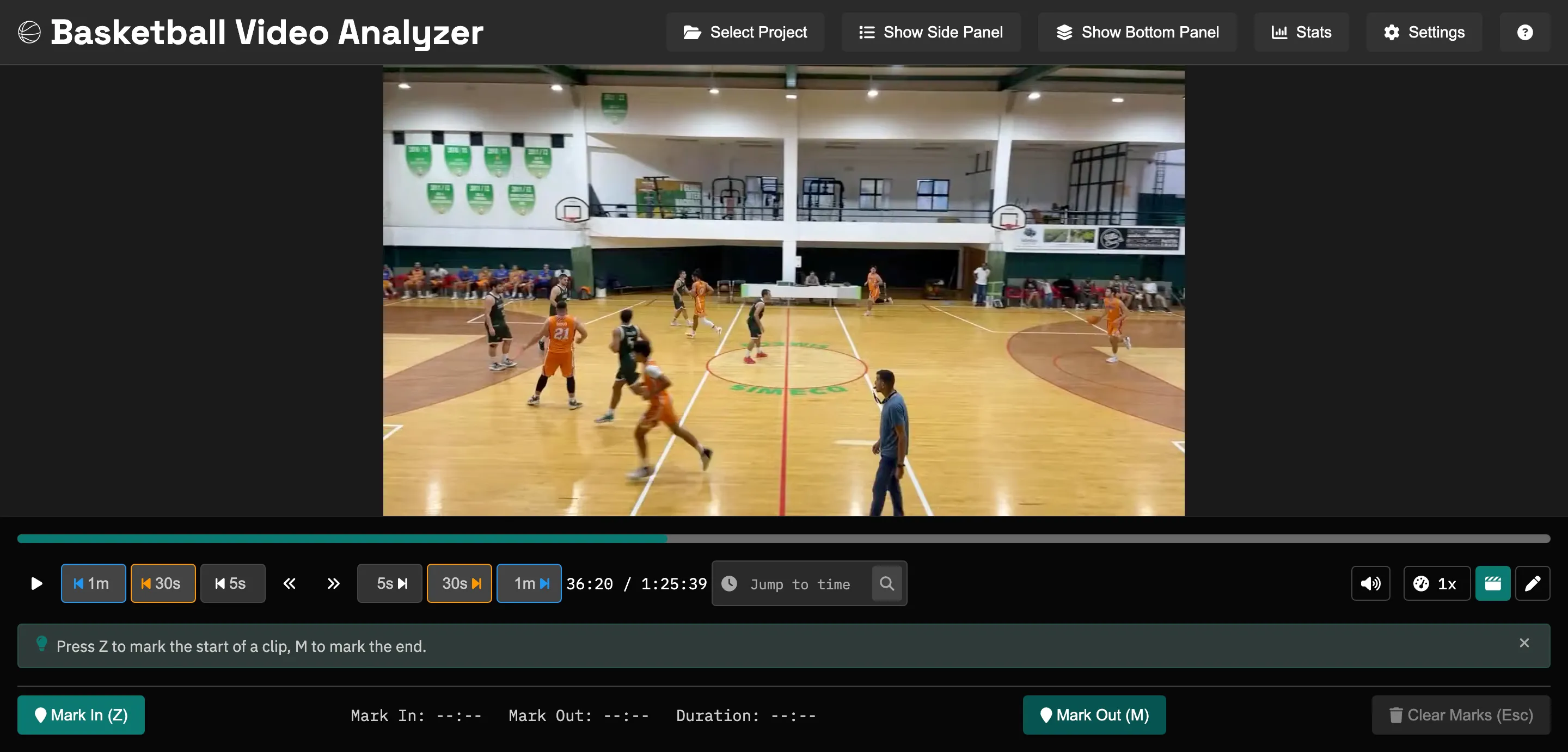
Watch the game through and grab the plays you want to keep. For each one you set an in-point and an out-point, then tag it. The shortcuts are there so you can do all of it without taking your hands off the keyboard:
- Space play / pause
- Z mark the start of the clip
- M mark the end, which opens the clip form
- ← → step frame by frame to trim the edges
Both mark keys are configurable in Settings.
Tag clips as you cut them. A clip can have more than one tag, so a possession that's both a pick-and-roll and a missed rotation can go under both. Do it while you're watching rather than going back over the game a second time.
Set up categories that match how you talk about the game
Categories nest, so build them out the way you already describe things in practice. This is enough to start:
- Offense → Pick & Roll, Transition, Post-ups, ATOs
- Defense → Zone, Switching, Closeouts, Rebounding
- Teaching → Great possessions, Turnovers, Effort plays
Keep the list short to begin with. Five or six categories you reach for every game will serve you better than a deep tree you stop maintaining by November. You can rename and move things around as the season goes.
Pass 3: export the folders
When you're done, export. You get one folder per category with the clips inside, named so you can tell them apart. Put them on a shared drive, copy them to a stick for the film room, or pull them into whatever you present with. They're ordinary video files, and nothing uploads anywhere, so you can hand them to a player who's never heard of this app.
Try the workflow
Basketball Video Analyzer is free and open source, on Windows, macOS, and Linux. Your film stays on your computer.