Basketball Video Analyzer vs Kinovea
Both are free, both are open source, and coaches find both when they search for free video analysis. They answer different questions. Kinovea is for looking closely at one movement: a jump shot, a defensive slide, a landing. This app is for working through a whole game and coming out the other side with clips sorted by what happened.
What Kinovea is
Kinovea is a free, open-source program under the GPL v2 license. Its own description is a set of tools to capture, slow down, compare, annotate, track and measure motion in videos. You can play two videos side by side and sync them on a common moment, measure angles, distances and times by hand or with semi-automatic tracking, draw lines, arrows and shapes on the frame, and export the measurements as CSV. The current version is 2025.2. It runs on Windows 7 to 11, and its download page says it does not run on Apple Silicon Macs, even through Parallels.
Kinovea's feature list does not mention tagging clips into categories or cutting a game into files. A shooting coach fixing a release point will not miss either: side-by-side comparison and an angle tool are what that job needs.
What this tool is
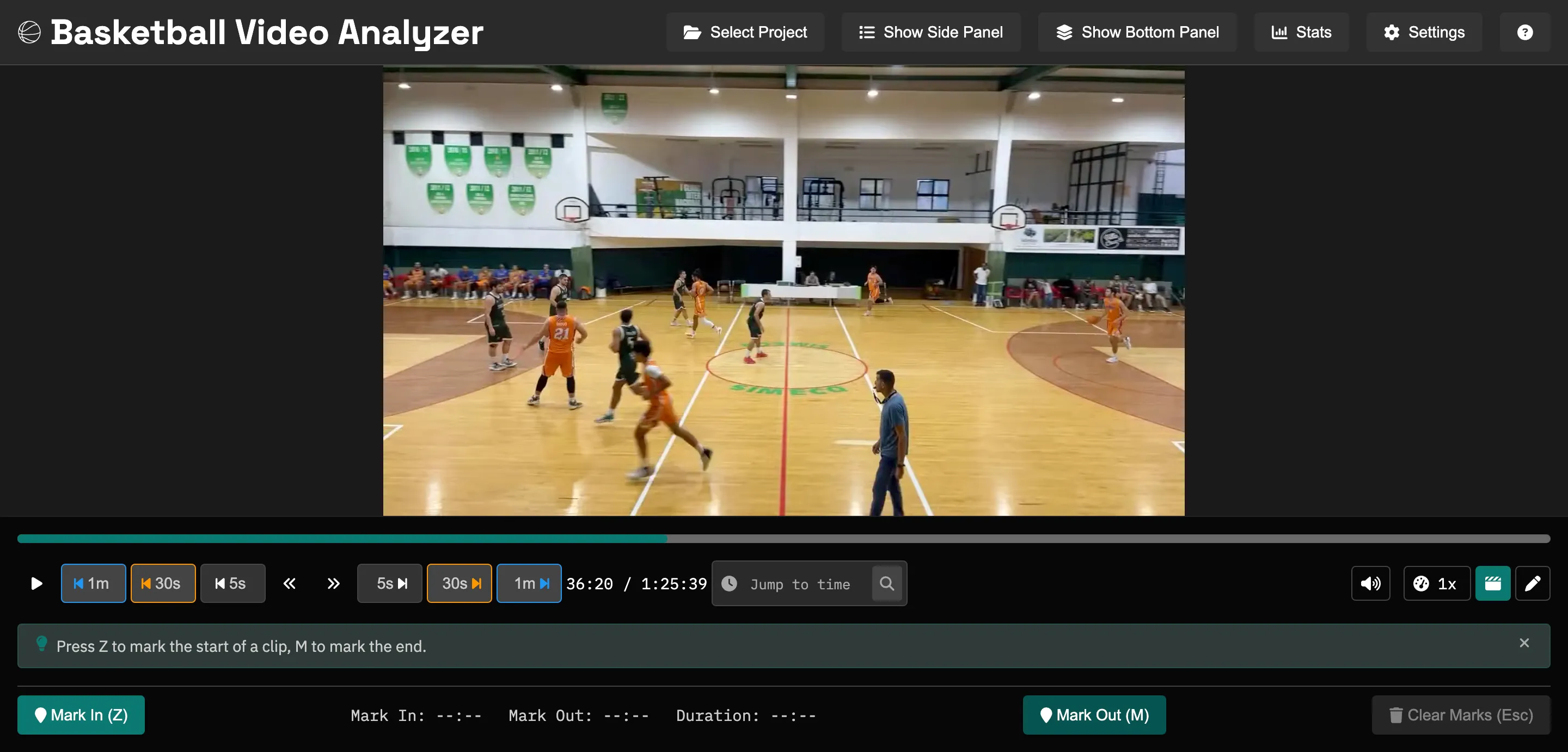
Basketball Video Analyzer is built around the game, not the single rep. Load the film, press Z and M to mark the start and end of each play, tag it with categories and players, and export the clips as video files in one folder per category. Each clip can carry a spot on the court, so Stats draws a court map you can click to play each clip, and you can draw on paused video and have the drawing burned into the exported clip. It runs on Windows, macOS and Linux and is open source under the AGPL.
| Basketball Video Analyzer | Kinovea | |
|---|---|---|
| Price | Free | Free |
| License | AGPL | GPL v2 |
| Platforms | Windows, macOS, Linux | Windows |
| Cut a game into tagged clips | Yes | Not in its feature list |
| Drawing on video | Yes | Yes |
| Angle and distance measurement | No | Yes |
| Side-by-side comparison | No | Yes |
| Shot chart and clip stats | Yes, and clicking a dot plays the clip | No |
Kinovea details from kinovea.org, its feature list and its download page, checked 16 November 2026.
Which one fits you
If you coach technique and want to slow a movement down, measure it and compare it with last month's, use Kinovea. If you break down games and scout opponents, and want a folder of pick-and-roll clips by Monday, use this one. They cost nothing, so plenty of coaches keep both.
Try it free
Free and open source, on Windows, macOS and Linux.